英文原文: https://argusic.com/subject/supervisor
supervisor
:house_with_garden: Home Assistant Supervisor
无法验证来源:GitHub项目主页PythonApache-2.0commit d0d259cf73e9
Python,Apache-2.0 许可证. 项目的自我描述:docker、hacktoberfest、home assistant、home automation、orchestrator 和 python.
Argusic 没能让 supervisor 运行起来。一个 Argusic agent 在一台没有 GPU 的干净机器上用 43 分钟完成了安装,遇到 6 个错误,整个会话都被记录了下来。
Supervisor package installed with Python 3.14.8, all dependencies loaded, core test suite (547 tests) passes on mocked Docker/D-Bus infrastructure
agent 在干净的机器上最终得到的结果,用它自己的话说。 测量方式
每一次都由 Argusic 在全新机器上实测。每个数字都链接到对应的证据。
概览
项目数据来自 GitHub,链接见本页顶部,更新于 。测试数据由 Argusic 提供 (CC BY 4.0);每个数字都链接到一个运行页面,附完整的 log、录屏及其 sha256 哈希。
测量了什么
来自决定该结论的那次运行。 每一行都是记录下来的数值,而非估算。
哪里出了问题,用 agent 自己的话说
agent 的原话,最严重的排在最前,从不改写成建议。
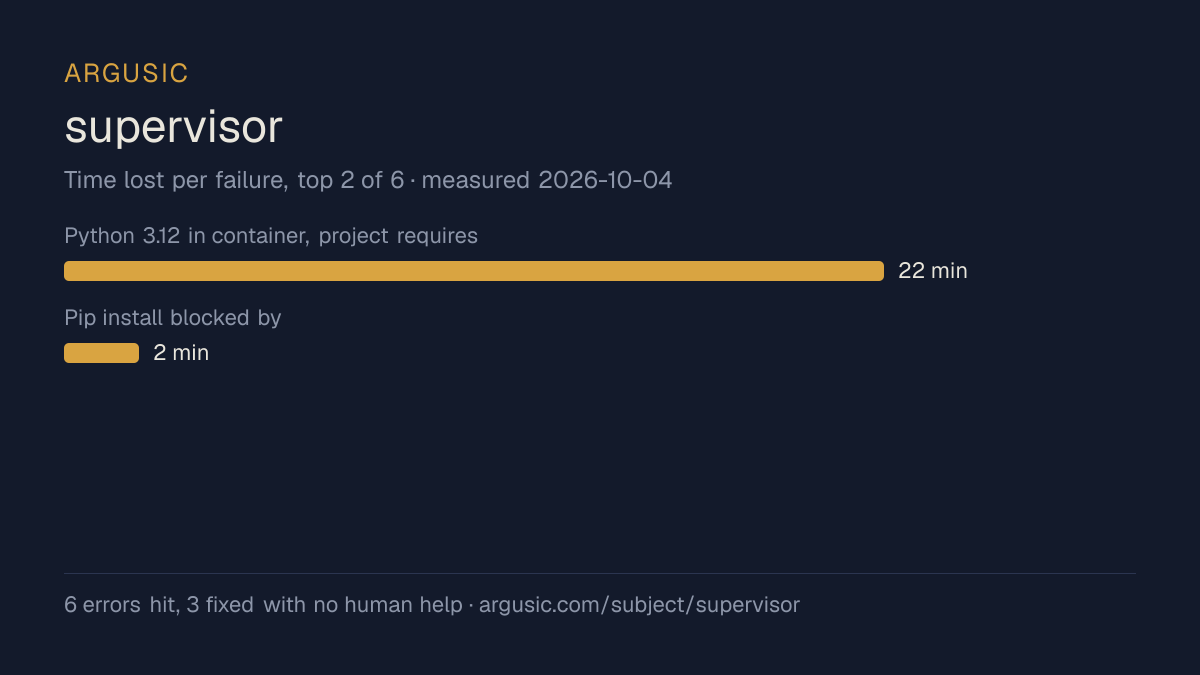
- Python 3.12 in container, project requires >=3.1422 分钟
- Pip install blocked by externally-managed-environment2 分钟
- Python 3.14 syntax (except TypeA, TypeB:) not parseable on 3.12
- 3 test failures in hardware/test_disk.py (pre-existing, testing directory sizes that are 0 in container)
- 1 test failure in mounts/test_manager.py (pre-existing, cannot determine image from metadata)
- Some test modules (test_app.py, test_manager.py, API tests) hang due to Docker daemon not being available
- 安装时间
- 43 分钟
- 遇到并修复的错误
- 遇到 6 个,在无人协助的情况下修复了 3 个
- 结果是如何证明的
- pytest tests/utils/ tests/misc/ tests/jobs/ tests/services/ tests/discovery/ tests/store/ tests/docker/test_manifest.py tests/docker/test_utils.py tests/docker/test_credentials.py tests/docker/test_stats.py tests/docker/test_pull_progress.py tests/apps/test_config.py tests/apps/test_utils.py tests/apps/test_options.py tests/test_arch.py tests/test_auth.py tests/test_bootstrap.py tests/test_bus.py tests/test_core.py tests/test_coresys.py tests/test_ingress.py tests/test_main.py tests/test_supervisor.py tests/test_updater.py tests/test_validate.py -q -> 547 passed in 235s
- 使用的模型 token
- 892,576
- 测试的确切 commit
- d0d259cf73e9
- 容器镜像
- sha256:cdd920bce783
没有测量什么
另一半内容,让你清楚看到这些证据能说明到什么程度。缺失的数据就标为缺失,从不填补。
- 从冷启动机器到完成
- 该尝试在用掉 100 分钟后因达到时间限制而被停止,因此始终没有完成
- GPU 显存峰值
- 本次运行在 CPU 机器上进行,没有可采样的 GPU
- 长时间运行的表现
- 每次尝试都使用文档中最小的设置和固定的时间预算,因此这里测量的是它能否运行,而不是它在负载下的表现
- 对接真实服务的表现
- 本次运行只对照替身服务进行了验证
录屏的结尾
决定该结论的终端会话的最后几行,与录制时完全一致。
exec
/bin/sh -lc 'cd /work/repo && LD_LIBRARY_PATH=/tmp/py314/extract/usr/lib/x86_64-linux-gnu PATH=/tmp…
exec
/bin/sh -lc 'pkill -9 -f "pytest" 2>/dev/null; true' in /work/repo
 exited 137 in 7ms:
 exited 137 in 34992ms:
The `pkill -9 -f "pytest"` kills my own processes. Let me use careful process killing and run a fin…
exec
/bin/sh -lc 'cd /work/repo && LD_LIBRARY_PATH=/tmp/py314/extract/usr/lib/x86_64-linux-gnu PATH=/tmp…
I have enough data to compile the final report. Let me compute totals from my earlier runs
exec
/bin/sh -lc 'cd /work/repo && LD_LIBRARY_PATH=/tmp/py314/extract/usr/lib/x86_64-linux-gnu PATH=/tmp…
回放完整会话,从干净的机器到此刻的每一条命令。
测试方式
一个 agent,一个容器,没有人工协助。它按照项目自身文档所写的方式安装项目,运行它,并修复出错的地方。下面的一切都按实际发生的过程记录:终端会话、log 和确切的 commit。 完整方法论.
优势与局限
均为实测事实,而非观点。内容是如何撰写的.
顺利的部分
- 采用 Apache-2.0 许可证,以其托管平台报告的信息为准。
- 已测量 2 次,因此结果并非偶然。
不顺利或尚不清楚的部分
- 一个没有时间限制的 agent 也没能让它运行起来。
- 安装用了 43 分钟,慢于 Argusic 测量过的 21 个同类项目的中位数。
- 搭建过程中遇到 6 个错误,其中 3 个没有解决。
在 Argusic 安装并计时过的 22 个 docker 项目中,supervisor 达到运行状态的速度排名第 22,22 个项目中有 13 个达到了运行状态。
同一领域中也测试过的项目
这里的每个项目都由 Argusic 在干净的机器上安装并运行过。未经测试的项目不会出现在这里。
运行历史
主题 (来自 GitHub)
dockerhacktoberfesthome-assistanthome-automationorchestratorpython
嵌入徽章
用于项目 README 的 Markdown。徽章链接回本页;使用条款见 条款页面.
[](https://argusic.com/subject/supervisor)常见问题
- supervisor 能运行吗?
- Argusic 无法验证 supervisor 能否运行. Argusic 在一台干净的机器上安装并启动了它,用时 43 分钟,过程中遇到 6 个错误,并记录了整个会话。
- Argusic 是如何测试 supervisor 的?
- 在一台全新的一次性机器上进行,每条命令都被记录,仓库固定在 commit d0d259cf73e9。共记录了 2 次尝试,完整方法见方法论页面。
- 测试 supervisor 花了多少钱?
- 得出该结论的那次运行花费 0.37 USD:这是真实的算力和模型成本,而不是按每百万 token 计的标价。该数字记录在那次运行的页面上。
- supervisor 安装需要多长时间?
- 在决定该结论的那次运行中,从干净的机器到运行状态用了 43 分钟。这是一次实测的尝试,不是平均值。
- supervisor 需要 GPU 吗?
- 启动它不需要。Argusic 在一台没有 GPU 的机器上让它达到了运行状态。
- 安装 supervisor 时会出现什么问题?
- 已记录的运行中出现了 6 个问题,其中 3 个在无人协助的情况下被修复。每个问题及其耗费的时间都列在本页上。
- supervisor 与其他替代方案相比如何?
- 在 Argusic 安装并计时过的 22 个 docker 项目中,supervisor 达到运行状态的速度排名第 22,22 个项目中有 13 个达到了运行状态。
- supervisor 的证据在哪里?
- 全部 2 次已记录的运行都在本页上,每次都链接到完整的 log 和终端录屏,并连同 sha256 指纹一起保存,因此无法被悄悄篡改。