Disclosure: When you buy through our links, we may earn a commission. Learn more›
The monitors in the catalogue Argusic tracks, in one table you can filter by what you will do with it: reading and writing code all day, office work, gaming, photo and design, or plugging in a laptop with one cable. Filter by size, resolution, pixel density, refresh rate, USB-C charging, the stand and price, then read the buying guide below the table for what each choice changes.
Nothing here was tested hands-on. Specs are what the seller states, pixel density is computed from the stated size and resolution, and the Use for rules are Argusic's, printed beside the filter.
Right now: 275 monitors, each with a price read in the store's window, 273 in stock. Latest price read 10/19/2026 10:07 PDT.
Top picks
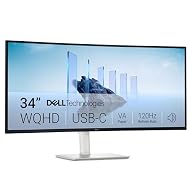
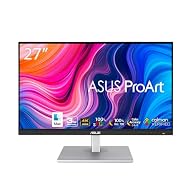
Three popular picks from the table below, one per brand, refreshed with the prices; commissions never change the order.
Listing 275 monitors priced from $90. Colours of one product share a row.
Use forThe rules
Programming: A screen of at least 23.8 inches with at least 105 pixels per inch, so small text stays sharp: 24 and 27-inch 1440p, 34-inch 3440x1440 and 27 or 32-inch 4K meet it; 24 and 27-inch 1080p and 32-inch 1440p do not. Size and resolution have to be stated.
Office: A 23.8 to 34-inch screen at 1080p or sharper. Size and resolution have to be stated.
Gaming: A stated refresh rate of 144 Hz or more. A dual-mode monitor counts at the rate of its full resolution.
Photo & design: An IPS or OLED panel with a stated DCI-P3 coverage of 95% or more, at 1440p or sharper. VA and TN panels are left out. Panel, coverage and resolution have to be stated.
Laptop, one cable: A USB-C or Thunderbolt input that charges a laptop with 65 W or more, so one cable carries picture, data and power. The charging power has to be stated.
A monitor whose listing does not state what a rule needs is not counted as meeting it. Ticking two uses shows monitors that meet both.
20 shown of 275 matching
Recommended: $250 to $380 first, popular first, one brand at a time; rows priced at another store take every third place while any are left. This is Argusic's editorial default, not a quality ranking. Commissions never change the order.
Code is small text read for hours, so the first thing a programming monitor decides is how sharp that text looks. Sharpness comes from pixel density: the same resolution spread over a larger screen gives fewer pixels per inch and softer letters. Pick the size and resolution together, then the connection and the stand.
129 monitors of the 275 in this table meet the Programming rule printed beside the filter, from $149.99 to $1,223.67 at the last price check. 11 monitors do not state enough to judge and are never counted as meeting it.
Pixel density: size and resolution together
Pixels per inch (PPI) is the diagonal pixel count divided by the diagonal in inches. A 27-inch 1440p screen works out to about 109 PPI, a 34-inch 3440x1440 ultrawide to about 110, a 27-inch 4K screen to about 163; a 24-inch 1080p screen is about 92 and a 27-inch 1080p screen about 82. The Programming rule asks for 105 PPI or more on a desk-size screen. A 4K screen at 27 or 32 inches gives the sharpest text but usually runs with scaling, so it shows about as much code as a 1440p screen with crisper letters.
Stated resolutions in this table: 5K, 3; 5120x2160, 1; 5120x1440, 2; 4K UHD, 83; 3440x1440, 29; QHD 1440p, 78; 2560x1080, 3; FHD 1080p, 66. 10 monitors do not state one. 177 monitors of the 261 with a stated size and resolution reach 105 PPI.
Size, distance and height
OSHA's computer workstations guide gives a preferred viewing distance of 20 to 40 inches from the eye, puts the monitor directly in front of you, and says the top line of the screen should sit at or slightly below eye level. It adds that text size may need to be increased on smaller monitors. A stand that adjusts in height is the simplest way to get the top of the screen there without stacking books under it.
83 monitors in this table state a height-adjustable stand; a listing that does not say so is not counted.
Portrait mode for long files
A stand that pivots turns the screen on its side, so a 27-inch 1440p monitor shows 2,560 pixels of height instead of 1,440: more lines of a file, a log or a diff at once. Many programmers keep one screen in landscape and a second one in portrait. 52 monitors in this table state a stand that pivots to portrait.
USB-C: one cable to a laptop
With a USB-C (or Thunderbolt) input that also delivers power, one cable from a laptop carries the picture, the monitor's USB ports and the charge. What matters is the stated charging power: USB-IF's USB Power Delivery page says USB Power Delivery carried up to 100 W before revision 3.1 and up to 240 W since. The one-cable rule here asks for 65 W or more; a monitor that states less charges slowly or not at all under load.
94 monitors in this table state a USB-C or Thunderbolt input. 33 monitors state the charging power, 31 at 65 W or more, the highest 140 W.
Monitors for a laptop on one cable
If the monitor is mainly a second screen for a laptop, the one-cable setup is the deciding feature: plug in one USB-C cable at the desk and the laptop charges, shows its picture on the big screen and reaches the keyboard, mouse and network plugged into the monitor. Check that the laptop's own USB-C port carries video (often marked DisplayPort or Thunderbolt) before relying on it.
31 monitors of the 275 in this table meet the Laptop, one cable rule printed beside the filter, from $199.99 to $1,299.00 at the last price check. 242 monitors do not state enough to judge and are never counted as meeting it.
Monitors for office work
For spreadsheets, documents and video calls a 24 to 27-inch screen at 1080p or 1440p is the common choice; a 34-inch ultrawide replaces two screens side by side without a bezel down the middle. Refresh rate matters little here, and a stand that adjusts in height matters more than any panel figure.
207 monitors of the 275 in this table meet the Office rule printed beside the filter, from $95.00 to $1,299.00 at the last price check. 10 monitors do not state enough to judge and are never counted as meeting it.
Monitors for gaming
Refresh rate is how many times per second the screen draws a new picture: 60 Hz is every 16.7 milliseconds, 144 Hz about every 6.9. A higher rate makes motion smoother when the graphics card can produce the frames. A dual-mode monitor states two rates, a lower one at its full resolution and a higher one at a reduced resolution; this table counts the first.
131 monitors of the 275 in this table meet the Gaming rule printed beside the filter, from $94.99 to $1,299.00 at the last price check. 62 monitors do not state enough to judge and are never counted as meeting it.
131 monitors in this table state 144 Hz or more, the highest 360 Hz. 62 monitors do not state a refresh rate.
Monitors for photo and design
For photo and design work the panel type and the color coverage decide more than speed. IPS and OLED panels keep colors steady when viewed off-center; VA panels have deeper blacks but shift color at an angle; TN panels shift the most. DCI-P3 is a wide color space used for video and modern displays, and the share of it a monitor covers is a stated figure on many listings.
32 monitors of the 275 in this table meet the Photo & design rule printed beside the filter, from $149.99 to $1,299.00 at the last price check. 133 monitors do not state enough to judge and are never counted as meeting it.
Stated panels in this table: IPS, 140; VA, 38; OLED, 17. 80 monitors do not state one. 52 monitors state a DCI-P3 coverage, 43 at 95% or more.
Frequently asked questions (FAQs)
What size and resolution is best for programming?
One whose pixel density keeps small text sharp: 27-inch 1440p (about 109 PPI), 34-inch 3440x1440 (about 110) and 27 or 32-inch 4K all pass the 105 PPI rule here, while 24 and 27-inch 1080p do not. Stated resolutions in this table: 5K, 3; 5120x2160, 1; 5120x1440, 2; 4K UHD, 83; 3440x1440, 29; QHD 1440p, 78; 2560x1080, 3; FHD 1080p, 66.
Is a 4K monitor worth it for coding?
It gives the sharpest text at 27 or 32 inches. Most people run it with scaling, so it shows about as much code as a 1440p screen, with crisper letters; at 1440p the same money often buys a larger screen or a better stand.
Can a monitor charge my laptop?
Yes, when its USB-C or Thunderbolt input delivers power and the laptop charges over USB-C. USB Power Delivery carries up to 240 W since revision 3.1; check the monitor's stated wattage against your laptop's charger. The one-cable rule here asks for 65 W or more. 31 monitors in this table state 65 W or more. Source: USB-IF's USB Power Delivery page
How high and how far away should a monitor be?
OSHA gives a preferred viewing distance of 20 to 40 inches from the eye and puts the top line of the screen at or slightly below eye level, directly in front of you. 83 monitors in this table state a height-adjustable stand. Source: OSHA's computer workstations guide
Do I need a high refresh rate for programming?
No. Text does not move fast enough for it to matter much; it makes scrolling look smoother. The Gaming rule here asks for 144 Hz or more. 131 monitors in this table state it.
Should I get a monitor that rotates to portrait?
If you read long files, logs or documents, a screen on its side shows many more lines at once. The stand has to pivot, or the monitor has to go on an arm. 52 monitors in this table state a stand that pivots.
How this page is built
Prices come from the stores Argusic tracks. An Amazon price counts when it was read in the last 24 hours, another store's price when it was read in the last 48 hours, because those feeds arrive once a day. Each price shows the store and the time it was read. Monitors priced under $90 are not listed, nor are signage and meeting-room displays, car screens and replacement laptop panels, which share the store's monitor category. 275 monitors are listed now.
Specs are what each seller states on its listing; Argusic has not tested these monitors hands-on. Pixel density is computed from the stated size and resolution. The Use for rules are Argusic's and printed beside the filter, and a monitor whose listing does not state what a rule needs is never counted as meeting it.
The default order, Recommended, puts a middle price band first, then the bands on either side, then the rest; within each band popular models come first and brands take turns. The Top picks block shows one model per brand. The order is an editorial default, not a quality ranking, and commissions never change the order or any number.
This build: 2026-10-19 17:22 UTC.
Product prices and availability are accurate as of the date/time indicated and are subject to change. Any price and availability information displayed on Amazon.com at the time of purchase will apply to the purchase of this product.
CERTAIN CONTENT THAT APPEARS ON THIS SITE COMES FROM AMAZON. THIS CONTENT IS PROVIDED 'AS IS' AND IS SUBJECT TO CHANGE OR REMOVAL AT ANY TIME.
Prices from other stores are read from the store's product feed once a day and are accurate as of the date/time indicated. The price and availability on the store's site at the time of purchase apply.
Comments never affect rankings or any number on this page.
Discussion
Best monitors for programming: sharp text and USB-C | Argusic