APIAuto
☔ 敏捷开发最强大易用的接口工具,机器学习零代码测试与 AI 问答、生成代码与静态检查、生成文档与光标悬浮注释,腾讯、华为、SHEIN、传音、工行等使用 ☔ The most advanced tool for HTTP API. Machine learning no-code testing and AI assistant, generating codes and static analysis, generating comments and floating hints. Used by Tencent, Huawei, SHEIN, TRANSSION, ICBC, etc.
Runssource: GitHubhomepageJavaScriptApache-2.0commit f2042ae79d14
JavaScript, Apache-2.0 licensed. The project labels itself: aitesting, api, api testing, apijson, apitesting, artificial intelligence, autotesting and documentation tool.
APIAuto runs. An Argusic agent installed it in 21 minutes and hit 2 errors and fixed every one without help on a clean machine with no GPU, and the whole session was recorded.
Node HTTP server starts on port 3000 and serves four API endpoints for headless API testing: /test/status (query), /test/start (trigger), /test/compare and /test/ml (response comparison), all returning correct HTTP status codes and structured JSON responses.
What the agent ended up with on a clean machine, in its own words. How this is measured
Measured by Argusic on a fresh machine every time. Every number links to its evidence. Argusic Score 96 of 100 (the mean of this project's run scores).
At a glance
Subject data from GitHub, linked at the top of this page, refreshed . Test data by Argusic (CC BY 4.0); every number links to a run page with the full log, the recording, and their sha256 hashes.
What was measured
From the run that decided this verdict. Every line is a recorded value, not an estimate.
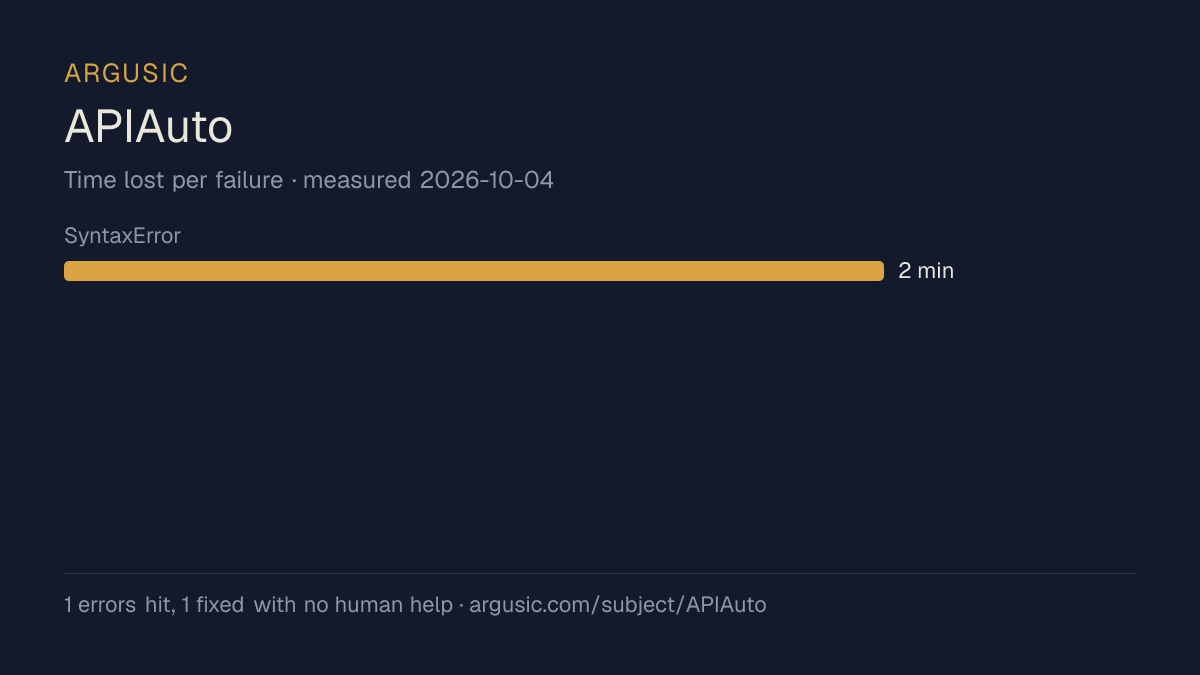
What went wrong, in the agent's own words
The agent's own words, worst first, never rewritten into advice.
- ESM import statements inside eval() in CommonJS context caused SyntaxError, preventing Vue from loading5 minutes
- [email protected] uses Koa 2 generator APIs incompatible with Koa 3's async-only middleware, making POST body parsing silently fail5 minutes
- Install time
- 21 minutes
- Cold machine to finish
- 10 minutes
- Errors hit and fixed
- 2 hit, 2 fixed with no human help
- How the result was proved
- curl to each endpoint confirmed: GET /test/status returned HTTP 200 with JSON code=200, progress=0.996; POST /test/compare matching returned code=0 msg='结果正确'; POST /test/compare mismatching returned code=5 msg='值改变' path='id'; POST /test/ml returned code=0 msg='结果正确'; GET /test/start returned HTTP 302 redirect to /test/status; node server process stayed alive on port 3000
- Model tokens used
- 146,174
- Exact commit tested
- f2042ae79d14
- Container image
- sha256:cdd920bce783
What was not measured
The other half, so you can see exactly how far this evidence goes. A gap is printed as a gap and never filled in.
- Peak GPU memory
- this ran on a CPU machine, so there was no GPU to sample
- Behaviour over a long run
- each attempt uses the smallest documented settings and a fixed time budget, so this measures whether it runs, not how it holds up under load
The end of the recording
The last lines of the terminal session that decided this verdict, exactly as they were recorded.
  POST /test/ml      - HTTP 200 (ML-based comparison)
=== Verification ===
  npm install completed successfully (93 packages)
  node js/server.js starts and listens on port 3000
  All 4 endpoints return correct HTTP status codes and structured JSON
  compare/match: code=0 msg='结果正确'
  compare/mismatch: code=5 msg='值改变' path='id'
  ml: code=0 msg='结果正确'
Here is my final report:
tokens used
146,174
Here is my final report:
Replay the whole session, every command from a clean machine to this point.
How it was tested
One agent, one container, no human help. It installs the project the way its own documentation says to, runs it, and fixes what breaks. Everything below is recorded as it happened: the terminal session, the log and the exact commit. The full method.
Strengths and limits
Measured facts, not opinions. How this is written.
What went well
- Reached a running state on a clean machine, with the session recorded.
- Installed in 21 minutes.
- Recovered from all 2 errors without a human stepping in, which says the failures are documented well enough to solve.
- Ran without a GPU, so it does not need one to start.
- Licensed Apache-2.0, as reported by its host.
- Measured 2 times, so the result is not a one-off.
What it is a reasonable choice for
- Trying it on a laptop or a small server: it reached a running state without a GPU.
Also tested, in the same area
Every one of these was installed and run by Argusic on a clean machine. Nothing appears here that was not tested.
Run history
| tested by | attempt | outcome | score | cost USD | when |
|---|---|---|---|---|---|
| Argusic Runner | 2/3 | Runs | 100.00 | 0.07 | |
| Argusic Runner | 1/3 | Runs with mocks | 92.00 | 0.02 |
Topics (from GitHub)
aitestingapiapi-testingapijsonapitestingartificial-intelligenceautotestingdocumentation-toolgrpcheadlesshttphttp-apihttp-clienthttp-requesthttp-tooltest-automationtestingtesting-toolsvuejs2
Embed the badge
Markdown for the project README. It links back here; terms on the terms page.
[](https://argusic.com/subject/apiauto)Questions
- Does APIAuto run?
- Yes. APIAuto runs. Argusic installed and launched it on a clean machine in 21 minutes, hitting 2 errors on the way, and recorded the session.
- How did Argusic test APIAuto?
- On a fresh, disposable machine, with every command recorded and the repository pinned at commit f2042ae79d14. 2 attempts are recorded, and the full method is on the methodology page.
- What did it cost to test APIAuto?
- The run that produced this verdict cost $0.07: real compute and model cost, not a list price per million tokens. It is recorded on that run's page.
- How long does APIAuto take to install?
- 21 minutes in the run that decided this verdict, from a clean machine to a running state. That is one measured attempt, not an average.
- Does APIAuto need a GPU?
- Not to start. Argusic reached a running state on a machine with no GPU.
- What goes wrong when installing APIAuto?
- 2 things broke in the recorded run, and 2 were fixed without human help. Each one, and the time it cost, is listed on this page.
- Where is the evidence for APIAuto?
- All 2 recorded runs are on this page, each linking to its full log and terminal recording, stored with a sha256 fingerprint so it cannot be quietly altered.