agent-browser-mcp
让 Agent 直接操作真实 Chrome 的 MCP 服务,支持页面扫描、CDP、截图与物理输入
Runs with mockssource: GitHubPythonMITcommit 04cc1f1e94bb
Python, MIT licensed. The project labels itself: ai agent, automation, browser automation, cdp, chrome, hermes agent and mcp.
agent-browser-mcp runs, with stand-ins for the services it depends on. An Argusic agent installed it in 28 minutes and hit 3 errors and fixed every one without help on a clean machine with no GPU, and the whole session was recorded.
In a fresh .venv the project installs and builds, its CLI prints help/extension path/hermes config/doctor JSON, its MCP stdio server responds to initialize and tools/list with 19 tools, and against a mock Chrome bridge list_tabs, execute_js, scan_page, page screenshot, and desktop screenshot all returned real results, with the generated PNGs decodable by ffmpeg.
What the agent ended up with on a clean machine, in its own words. How this is measured
Measured by Argusic on a fresh machine every time. Every number links to its evidence. Argusic Score 92 of 100 (the mean of this project's run scores).
At a glance
Subject data from GitHub, linked at the top of this page, refreshed . Test data by Argusic (CC BY 4.0); every number links to a run page with the full log, the recording, and their sha256 hashes.
What was measured
From the run that decided this verdict. Every line is a recorded value, not an estimate.
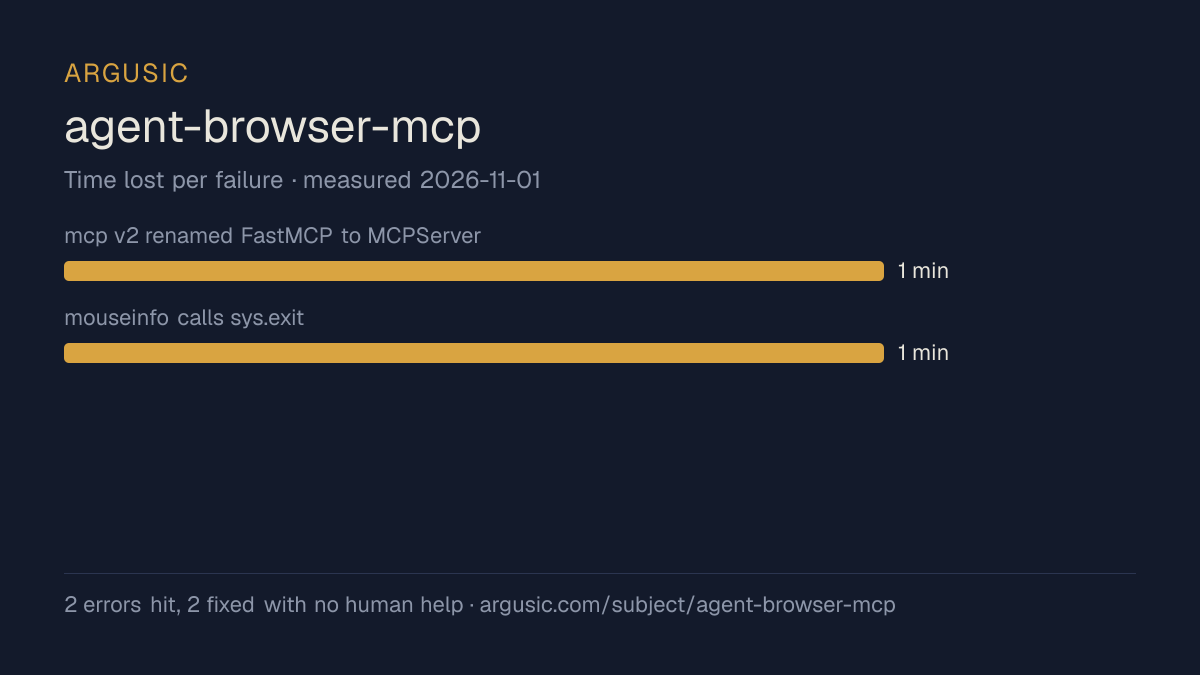
What went wrong, in the agent's own words
The agent's own words, worst first, never rewritten into advice.
- doctor always reports http_port_open:false for port 18766 while the HTTP bridge actually binds (raw TCP check races previous run's port state)6 minutes
- mcp 2.3.0 installed; repo imports mcp.server.fastmcp (v1 API) -> ModuleNotFoundError on every CLI command5 minutes
- pip install -e . failed: externally-managed-environment (PEP 668)2 minutes
- Install time
- 28 minutes
- Cold machine to finish
- 28 minutes
- Errors hit and fixed
- 3 hit, 3 fixed with no human help
- How the result was proved
- venv pip install -e . + pip check exit 0; --help/extension-path/print-hermes-config/doctor exit 0; python -m build produced wheel; MCP stdio run with mock WebSocket extension returned list_tabs with mocked tab, execute_js js_return=3, scan_page HTML, capture_page_screenshot and capture_desktop_screenshot saved PNGs that ffmpeg -v error -i ... -f null - decoded with no errors; no real Chrome available
- Model tokens used
- 891,305
- Exact commit tested
- 04cc1f1e94bb
- Container image
- sha256:cdd920bce783
What was not measured
The other half, so you can see exactly how far this evidence goes. A gap is printed as a gap and never filled in.
- Peak GPU memory
- this ran on a CPU machine, so there was no GPU to sample
- Behaviour over a long run
- each attempt uses the smallest documented settings and a fixed time budget, so this measures whether it runs, not how it holds up under load
- Behaviour against real services
- this run was verified against stand-in services only
The end of the recording
The last lines of the terminal session that decided this verdict, exactly as they were recorded.
- `pip install -e .` (README's standard install) failed twice initially: PEP 668 externally-managed…
- Fixed by installing into `.venv` and pinning `mcp<2` in `pyproject.toml` (resolved to mcp 1.30.0)…
- `agent-browser-mcp --help`, `extension-path`, `print-hermes-config`, and `doctor` all work; docto…
- `python -m build --wheel` produced `agent_browser_mcp-0.1.0-py3-none-any.whl`.
- Verified end to end over MCP stdio against a schema-correct mock Chrome extension (stand-up WebSo…
- Also patched a latent startup-order issue in `tmwebdriver.py`: `is_remote` was probed before the …
**Honest gaps**
- `doctor` always reports `http_port_open: false` for port 18766 even though the HTTP bridge does b…
- Real Chrome/extension behavior could not be exercised in this container (no real browser executab…
- `pointer_info` returns null in this headless container (no real display-independent pointer), so …
JSON BELOW
{"install_succeeded":true,"launch_succeeded":true,"install_minutes":28,"errors":[{"msg":"pip instal…
Replay the whole session, every command from a clean machine to this point.
How it was tested
One agent, one container, no human help. It installs the project the way its own documentation says to, runs it, and fixes what breaks. Everything below is recorded as it happened: the terminal session, the log and the exact commit. The full method.
Strengths and limits
Measured facts, not opinions. How this is written.
What went well
- Recovered from all 3 errors without a human stepping in, which says the failures are documented well enough to solve.
- Licensed MIT, as reported by its host.
What did not, or is not known
- Only reached a running state against stand-in services, so nothing here proves it works against the real ones.
- Took 28 minutes to install, slower than the median of the 84 comparable projects Argusic has measured.
- Measured once so far. A single attempt shows it can run, not that it runs reliably.
Of the 85 ai-agent projects Argusic has installed and timed, agent-browser-mcp was the 78th fastest to reach a running state, and 59 of 85 reached one at all.
Also tested, in the same area
Every one of these was installed and run by Argusic on a clean machine. Nothing appears here that was not tested.
Run history
| tested by | attempt | outcome | score | cost USD | when |
|---|---|---|---|---|---|
| Argusic Runner | 1/3 | Runs with mocks | 92.00 | 0.21 |
Topics (from GitHub)
ai-agentautomationbrowser-automationcdpchromehermes-agentmcp
Embed the badge
Markdown for the project README. It links back here; terms on the terms page.
[](https://argusic.com/subject/agent-browser-mcp)Questions
- Does agent-browser-mcp run?
- agent-browser-mcp runs, with mocks standing in for external services. Argusic installed and launched it on a clean machine in 28 minutes, hitting 3 errors on the way, and recorded the session.
- How did Argusic test agent-browser-mcp?
- On a fresh, disposable machine, with every command recorded and the repository pinned at commit 04cc1f1e94bb. One attempt is recorded, and the full method is on the methodology page.
- What did it cost to test agent-browser-mcp?
- The run that produced this verdict cost $0.21: real compute and model cost, not a list price per million tokens. It is recorded on that run's page.
- How long does agent-browser-mcp take to install?
- 28 minutes in the run that decided this verdict, from a clean machine to a running state. That is one measured attempt, not an average.
- Does agent-browser-mcp need a GPU?
- Not to start. Argusic reached a running state on a machine with no GPU.
- What goes wrong when installing agent-browser-mcp?
- 3 things broke in the recorded run, and 3 were fixed without human help. Each one, and the time it cost, is listed on this page.
- How does agent-browser-mcp compare with the alternatives?
- Of the 85 ai-agent projects Argusic has installed and timed, agent-browser-mcp was the 78th fastest to reach a running state, and 59 of 85 reached one at all.
- Where is the evidence for agent-browser-mcp?
- The recorded run is on this page, each linking to its full log and terminal recording, stored with a sha256 fingerprint so it cannot be quietly altered.