huashu-chrome
让任何 AI agent 操控你自己的 Chrome, 带着全部登录态。MCP + Chrome 扩展,Claude Code / Codex / Cursor / Gemini CLI 通用。
Runssource: GitHubJavaScriptMITcommit 84d5ee40532c
JavaScript, MIT licensed. The project labels itself: ai agents, browser automation, chrome extension, claude code, codex, cursor, gemini cli and huashu skills.
huashu-chrome runs. An Argusic agent installed it in 0.5 minutes and hit 1 error and fixed every one without help on a clean machine with no GPU, and the whole session was recorded.
All 123 unit tests pass, npm install completes, MCP server responds with 22 tools, bridge daemon starts and answers probes, doctor command runs successfully.
What the agent ended up with on a clean machine, in its own words. How this is measured
Measured by Argusic on a fresh machine every time. Every number links to its evidence. Argusic Score 100 of 100 (the mean of this project's run scores).
At a glance
Subject data from GitHub, linked at the top of this page, refreshed . Test data by Argusic (CC BY 4.0); every number links to a run page with the full log, the recording, and their sha256 hashes.
What was measured
From the run that decided this verdict. Every line is a recorded value, not an estimate.
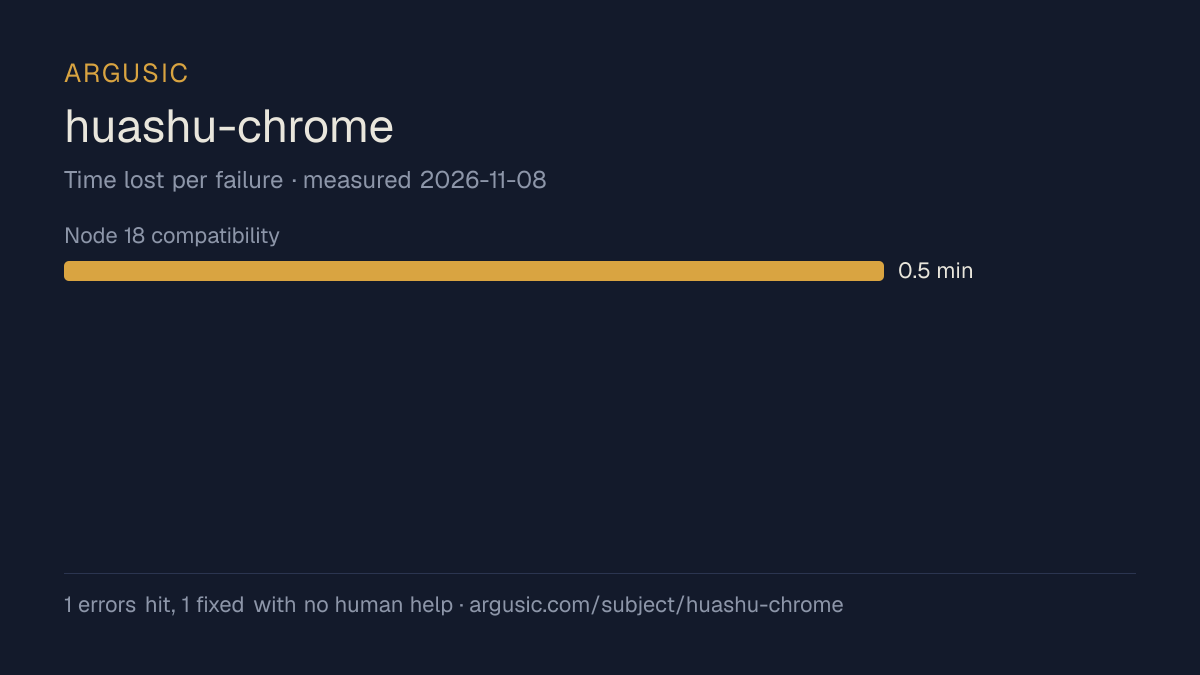
What went wrong, in the agent's own words
The agent's own words, worst first, never rewritten into advice.
- Node 18 compatibility: WebSocket not a global, causing ReferenceError in `doctor` command0.5 minutes
- Install time
- under a minute
- Cold machine to finish
- 2 minutes
- Errors hit and fixed
- 1 hit, 1 fixed with no human help
- How the result was proved
- npm test: 123 passed, 0 failed, 0 skipped, duration 33.3s; MCP tools/list returns 22 tools; bridge starts on port 8899; doctor completes without crash
- Model tokens used
- 32,783
- Exact commit tested
- 84d5ee40532c
- Container image
- sha256:cdd920bce783
What was not measured
The other half, so you can see exactly how far this evidence goes. A gap is printed as a gap and never filled in.
- Peak GPU memory
- this ran on a CPU machine, so there was no GPU to sample
- Behaviour over a long run
- each attempt uses the smallest documented settings and a fixed time budget, so this measures whether it runs, not how it holds up under load
The end of the recording
The last lines of the terminal session that decided this verdict, exactly as they were recorded.
exec
/bin/sh -lc "ls -la node_modules/.package-lock.json 2>/dev/null; ls node_modules/@modelcontextproto…
 succeeded in 114ms:
-rw-rw-r-- 1 runner runner 42650 Nov  8 07:16 node_modules/.package-lock.json
node_modules/@modelcontextprotocol/sdk/package.json
1.30.0
node_modules/ws/package.json
8.21.3
Everything is in order. Here's my report:
tokens used
32,783
Everything is in order. Here's my report:
Replay the whole session, every command from a clean machine to this point.
How it was tested
One agent, one container, no human help. It installs the project the way its own documentation says to, runs it, and fixes what breaks. Everything below is recorded as it happened: the terminal session, the log and the exact commit. The full method.
Strengths and limits
Measured facts, not opinions. How this is written.
What went well
- Reached a running state on a clean machine, with the session recorded.
- Installed in 0.5 minutes, faster than the median of the 116 comparable projects Argusic has measured.
- Recovered from all 1 error without a human stepping in, which says the failures are documented well enough to solve.
- Ran without a GPU, so it does not need one to start.
- Licensed MIT, as reported by its host.
What did not, or is not known
- Measured once so far. A single attempt shows it can run, not that it runs reliably.
Of the 117 ai-agents projects Argusic has installed and timed, huashu-chrome was the 11th fastest to reach a running state, and 87 of 117 reached one at all.
What it is a reasonable choice for
- Trying it on a laptop or a small server: it reached a running state without a GPU.
- A quick evaluation: it was running 0.5 minutes after the clone.
Also tested, in the same area
Every one of these was installed and run by Argusic on a clean machine. Nothing appears here that was not tested.
Run history
Topics (from GitHub)
ai-agentsbrowser-automationchrome-extensionclaude-codecodexcursorgemini-clihuashu-skillsmcpmcp-serveropenclawopencodeweb-scrapingwindsurf
Embed the badge
Markdown for the project README. It links back here; terms on the terms page.
[](https://argusic.com/subject/huashu-chrome)Questions
- Does huashu-chrome run?
- Yes. huashu-chrome runs. Argusic installed and launched it on a clean machine in 1 minutes, hitting 1 error on the way, and recorded the session.
- How did Argusic test huashu-chrome?
- On a fresh, disposable machine, with every command recorded and the repository pinned at commit 84d5ee40532c. One attempt is recorded, and the full method is on the methodology page.
- What did it cost to test huashu-chrome?
- The run that produced this verdict cost $0.02: real compute and model cost, not a list price per million tokens. It is recorded on that run's page.
- How long does huashu-chrome take to install?
- 0.5 minutes in the run that decided this verdict, from a clean machine to a running state. That is one measured attempt, not an average.
- Does huashu-chrome need a GPU?
- Not to start. Argusic reached a running state on a machine with no GPU.
- What goes wrong when installing huashu-chrome?
- 1 thing broke in the recorded run, and 1 were fixed without human help. Each one, and the time it cost, is listed on this page.
- How does huashu-chrome compare with the alternatives?
- Of the 117 ai-agents projects Argusic has installed and timed, huashu-chrome was the 11th fastest to reach a running state, and 87 of 117 reached one at all.
- Where is the evidence for huashu-chrome?
- The recorded run is on this page, each linking to its full log and terminal recording, stored with a sha256 fingerprint so it cannot be quietly altered.