browser-control
A tiny, fast Rust CLI that drives a real browser over the Chrome DevTools Protocol, built for coding agents.
Runssource: GitHubRustMITcommit b352a1ac0171
Rust, MIT licensed. The project labels itself: agent, browser automation, llm and rust.
browser-control runs. An Argusic agent installed it in 9 minutes and hit 4 errors and fixed every one without help on a clean machine with no GPU, and the whole session was recorded.
The browser-control CLI builds and passes all 10 unit tests; the binary connects to Chromium 127 over CDP and successfully executes open, snapshot, eval, cdp, text, and inspect commands against real web pages.
What the agent ended up with on a clean machine, in its own words. How this is measured
Measured by Argusic on a fresh machine every time. Every number links to its evidence. Argusic Score 100 of 100 (the mean of this project's run scores).
At a glance
Subject data from GitHub, linked at the top of this page, refreshed . Test data by Argusic (CC BY 4.0); every number links to a run page with the full log, the recording, and their sha256 hashes.
What was measured
From the run that decided this verdict. Every line is a recorded value, not an estimate.
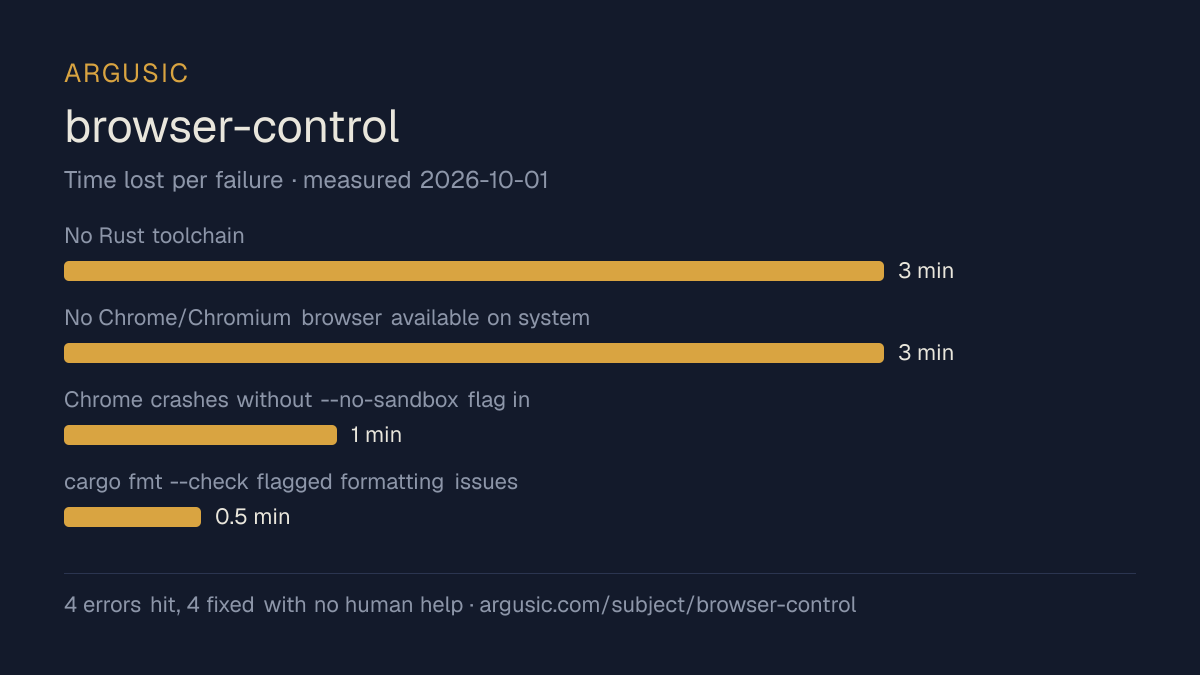
What went wrong, in the agent's own words
The agent's own words, worst first, never rewritten into advice.
- No Rust toolchain (rustup/cargo/rustc) installed in container3 minutes
- No Chrome/Chromium browser available on system3 minutes
- Chrome crashes without --no-sandbox flag in this container environment (no FUSE/kernel sandbox support)1 minute
- cargo fmt --check flagged formatting issues in src/cloud.rs0.5 minutes
- Install time
- 9 minutes
- Cold machine to finish
- 10 minutes
- Errors hit and fixed
- 4 hit, 4 fixed with no human help
- How the result was proved
- cargo test --locked: 10/10 passed; cargo build --locked succeeded (debug + release); end-to-end: started Chromium with --no-sandbox --disable-gpu, ran browser-control doctor (CDP endpoint + browser OK), open https://example.com -> ok, snapshot returned @e1 link 'Learn more', eval 'document.title' returned 'Example Domain', cdp Browser.getVersion returned product 'HeadlessChrome/127.0.6533.17', text returned full page text, inspect returned title/url/readyState/elements
- Model tokens used
- 66,615
- Exact commit tested
- b352a1ac0171
- Container image
- sha256:cdd920bce783
What was not measured
The other half, so you can see exactly how far this evidence goes. A gap is printed as a gap and never filled in.
- Peak GPU memory
- this ran on a CPU machine, so there was no GPU to sample
- Behaviour over a long run
- each attempt uses the smallest documented settings and a fixed time budget, so this measures whether it runs, not how it holds up under load
The end of the recording
The last lines of the terminal session that decided this verdict, exactly as they were recorded.
         };
         eprintln!("export BROWSER_CONTROL_CDP_WS={ws}");
     }
 M src/cloud.rs
exec
/bin/sh -lc 'date -d "now" +%s 2>/dev/null || date +%s' in /work/repo
 succeeded in 0ms:
1790882765
All verified. Here's the final report:
tokens used
66,615
All verified. Here's the final report:
Replay the whole session, every command from a clean machine to this point.
How it was tested
One agent, one container, no human help. It installs the project the way its own documentation says to, runs it, and fixes what breaks. Everything below is recorded as it happened: the terminal session, the log and the exact commit. The full method.
Strengths and limits
Measured facts, not opinions. How this is written.
What went well
- Reached a running state on a clean machine, with the session recorded.
- Recovered from all 4 errors without a human stepping in, which says the failures are documented well enough to solve.
- Ran without a GPU, so it does not need one to start.
- Licensed MIT, as reported by its host.
What did not, or is not known
- Took 9 minutes to install, slower than the median of the 62 comparable projects Argusic has measured.
- Measured once so far. A single attempt shows it can run, not that it runs reliably.
Of the 63 agent projects Argusic has installed and timed, browser-control was the 35th fastest to reach a running state, and 43 of 63 reached one at all.
What it is a reasonable choice for
- Trying it on a laptop or a small server: it reached a running state without a GPU.
- A quick evaluation: it was running 9 minutes after the clone.
Also tested, in the same area
Every one of these was installed and run by Argusic on a clean machine. Nothing appears here that was not tested.
Run history
Topics (from GitHub)
Embed the badge
Markdown for the project README. It links back here; terms on the terms page.
[](https://argusic.com/subject/browser-control)Questions
- Does browser-control run?
- Yes. browser-control runs. Argusic installed and launched it on a clean machine in 9 minutes, hitting 4 errors on the way, and recorded the session.
- How did Argusic test browser-control?
- On a fresh, disposable machine, with every command recorded and the repository pinned at commit b352a1ac0171. One attempt is recorded, and the full method is on the methodology page.
- What did it cost to test browser-control?
- The run that produced this verdict cost $0.06: real compute and model cost, not a list price per million tokens. It is recorded on that run's page.
- How long does browser-control take to install?
- 9 minutes in the run that decided this verdict, from a clean machine to a running state. That is one measured attempt, not an average.
- Does browser-control need a GPU?
- Not to start. Argusic reached a running state on a machine with no GPU.
- What goes wrong when installing browser-control?
- 4 things broke in the recorded run, and 4 were fixed without human help. Each one, and the time it cost, is listed on this page.
- How does browser-control compare with the alternatives?
- Of the 63 agent projects Argusic has installed and timed, browser-control was the 35th fastest to reach a running state, and 43 of 63 reached one at all.
- Where is the evidence for browser-control?
- The recorded run is on this page, each linking to its full log and terminal recording, stored with a sha256 fingerprint so it cannot be quietly altered.